Technical SEO is one of the most important parts of building a successful website. It helps search engines discover, crawl, understand, and index your website pages properly. Even if your website has high-quality content and valuable information, technical problems can prevent it from appearing in search engine results. This is why following a Technical SEO Checklist for Beginners is essential for website owners, bloggers, and digital marketers who want to improve their online visibility.
Technical SEO focuses on improving website structure, loading speed, mobile usability, crawlability, indexability, and overall performance. By following the right practices, you can create a website that provides a better user experience while making it easier for search engines like Google to understand your content. In this guide, we will explain the essential technical SEO practices, how to conduct a website audit, and how to optimize your website for better search engine performance.
Technical SEO Best Practices
Technical SEO best practices help search engines access and understand your website without unnecessary difficulties. These practices focus on improving the technical foundation of your website so that your content has a better opportunity to rank in search results. A strong website structure is one of the first things you should consider. Organize your pages into relevant categories and create a logical navigation system. Visitors should be able to find important information without navigating through multiple unnecessary pages. Search engines also use internal links to discover related content and understand the relationship between different pages.
Using HTTPS is another essential practice. An SSL certificate protects information exchanged between your website and its visitors. It also helps establish trust and provides a secure browsing experience. You should also avoid duplicate content, broken links, unnecessary redirects, and incorrect canonical tags. These issues can confuse search engines and waste valuable crawl resources. Regularly reviewing your website helps identify problems before they affect your search performance. Following a Technical SEO Checklist for Beginners makes it easier to maintain these practices and build a technically healthy website.
Technical SEO Checklist for Beginners
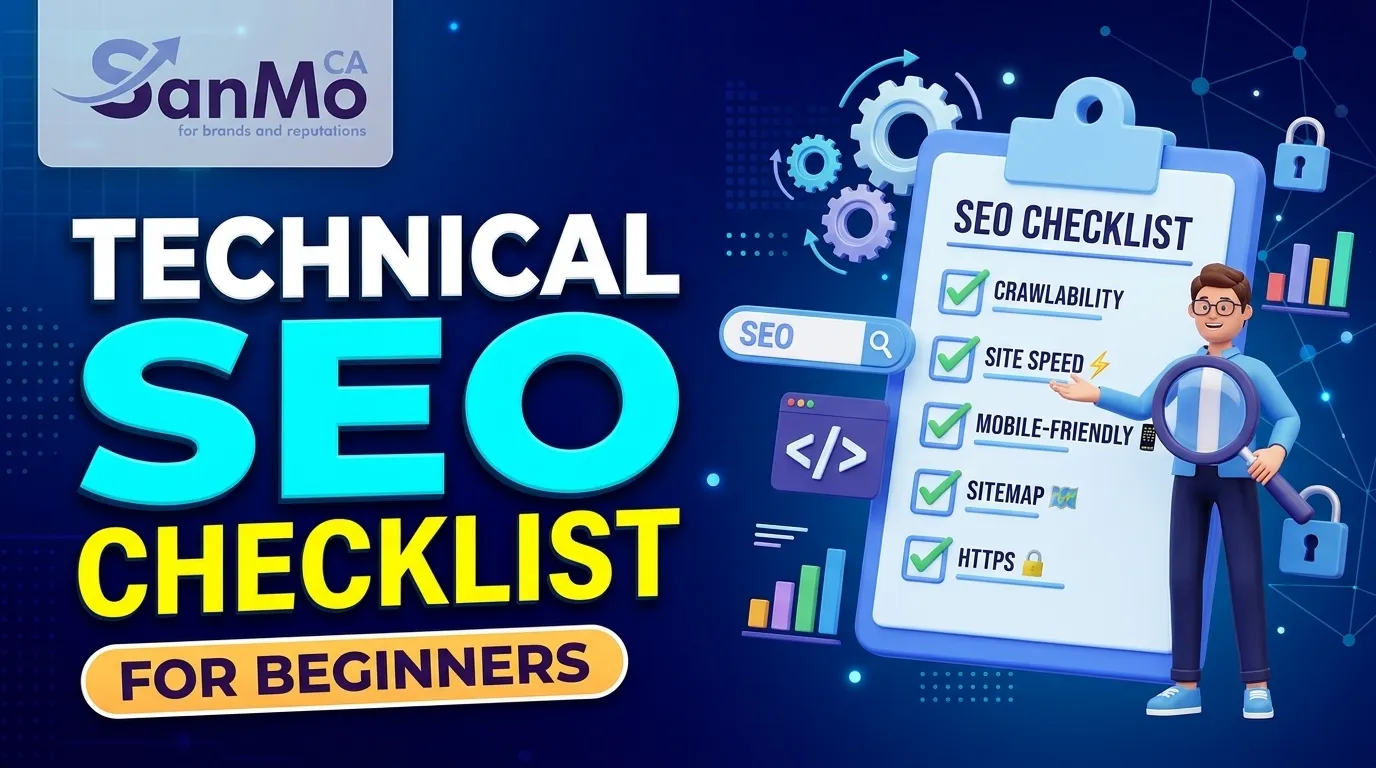
If you are new to search engine optimization, understanding where to start can be challenging. A Technical SEO Checklist for Beginners provides a clear direction for improving your website’s technical performance without requiring advanced programming knowledge. Start by checking whether your website uses HTTPS and whether all important pages can be accessed by visitors. Make sure your website has a logical URL structure, a properly configured XML sitemap, and a robots.txt file that does not accidentally block important pages. Next, review your website’s indexing status through Google Search Console. This free tool helps you understand which pages Google has discovered, crawled, and indexed. It also reports indexing problems, mobile usability concerns, and other technical issues.
Website speed is another important area to review. Test your website using Google PageSpeed Insights and identify opportunities to improve loading performance. Check whether your pages work correctly on smartphones, tablets, and desktop devices. A Technical SEO Checklist for Beginners should also include checking broken links, redirect errors, canonical tags, structured data, and Core Web Vitals. By reviewing these elements regularly, you can identify technical problems early and maintain a website that is easier for search engines to understand.
Website Technical SEO Audit
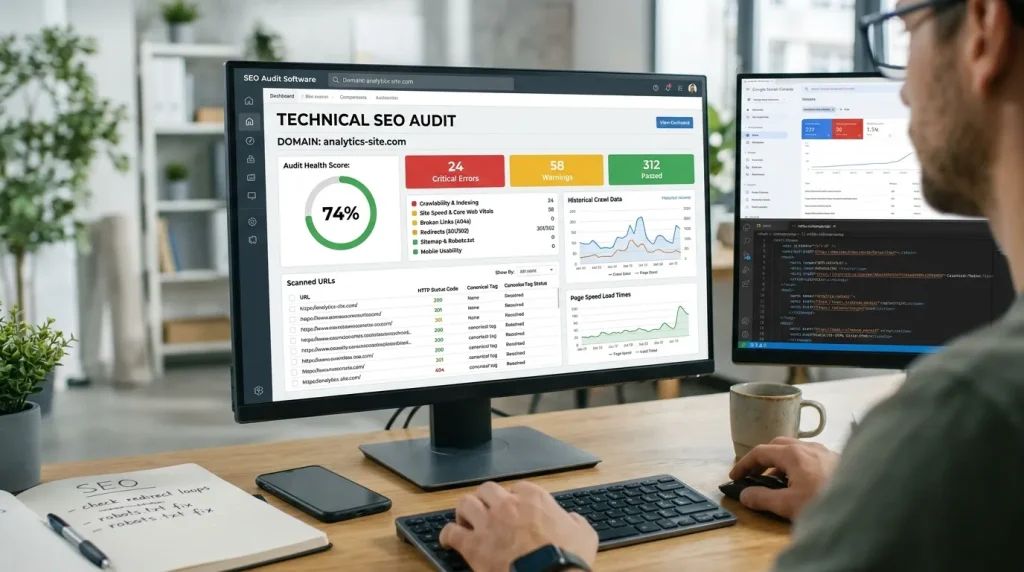 A website technical SEO audit is the process of examining your website to identify problems that may affect its search engine performance. It helps you understand whether search engines can access your pages and whether your website provides a good experience for visitors. Begin your audit with Google Search Console. Review the Pages indexing report to identify pages that are indexed, excluded, or experiencing crawling issues. Pay attention to errors such as server problems, redirect issues, and pages blocked by robots.txt. You should also use an SEO crawling tool to examine your website structure. Tools such as Screaming Frog SEO Spider can help identify broken links, duplicate page titles, missing meta descriptions, redirect chains, and incorrect canonical tags.
Another important part of an audit is checking your website’s URL structure. URLs should be descriptive, simple, and easy to understand. Avoid unnecessary parameters and complicated URL formats whenever possible. Website security, mobile responsiveness, page speed, and structured data should also be included in the audit process. A Technical SEO Checklist for Beginners makes the auditing process more manageable because it gives you a consistent framework for reviewing important technical elements. Conducting audits regularly allows you to monitor improvements and address new issues as your website grows.
Technical SEO Optimization Techniques
Technical SEO optimization techniques help improve the way search engines interact with your website. These techniques focus on removing technical barriers and creating a better experience for visitors. One effective technique is improving internal linking. Connect relevant pages using descriptive anchor text so that users and search engines can understand how your content is related. A well-organized internal linking structure also helps search engines discover important pages. Another useful technique is implementing canonical tags. When similar or duplicate URLs exist, canonical tags help indicate which version of a page should be treated as the preferred version. However, canonical tags are signals rather than absolute instructions, so they should be implemented carefully.
You should also use structured data when it accurately describes your page content. Schema markup can help search engines understand information about products, articles, organizations, and other supported content types. Redirect management is equally important. When changing a URL permanently, use a relevant 301 redirect to guide visitors and search engines to the new location. Avoid unnecessary redirect chains because they can create additional loading and crawling issues. Technical improvements should support your overall digital marketing strategy. For example, businesses investing in online growth can learn from this marketing case study to understand how digital marketing activities can contribute to business performance. Applying these techniques as part of a Technical SEO Checklist for Beginners can help establish a strong technical foundation for long-term organic growth.
Website Crawlability and Indexability
Crawlability and indexability are two essential concepts in technical SEO. Crawlability refers to how easily search engine bots can access and explore your website pages. Indexability refers to whether those pages are eligible to be included in a search engine’s index. If search engines cannot crawl your important pages, they may not discover your content. Similarly, if a page contains a noindex directive, search engines are generally instructed not to include it in their index. To improve crawlability, create a clear website structure and connect important pages through internal links. Make sure your navigation menus work properly and avoid leaving valuable pages without internal links.
You should also check your robots.txt file to ensure it does not block important resources or pages. Review meta robots tags and X-Robots-Tag HTTP headers to confirm that your indexing instructions are correct. Google Search Console is useful for checking indexing problems. Its URL Inspection tool allows you to examine individual URLs and understand how Google views them. A Technical SEO Checklist for Beginners should always include regular crawlability and indexability checks. These checks help ensure that your valuable content can be discovered and considered for search results.
XML Sitemap Optimization
 An XML sitemap is a file that provides search engines with information about important URLs on your website. It helps search engines discover pages that you want them to consider crawling and indexing. Although an XML sitemap does not guarantee that every listed page will be indexed, it makes the discovery process more organized. Your sitemap should contain canonical URLs that return successful HTTP status codes. Avoid including redirected URLs, broken pages, noindex pages, and URLs that you do not want search engines to index.
For larger websites, you may need multiple sitemap files. For example, you can create separate sitemaps for blog posts, product pages, images, or other content types. A sitemap index can then reference these individual sitemap files. Make sure your sitemap updates when you publish, remove, or significantly change website content. Most popular content management systems and SEO plugins can generate XML sitemaps automatically. Once your sitemap is ready, submit its location through Google Search Console. Monitor the sitemap report to identify processing errors and check whether Google can access the submitted URLs. As part of a Technical SEO Checklist for Beginners, XML sitemap optimization helps improve content discovery and gives search engines a clearer overview of your website.
Robots.txt File Optimization
A robots.txt file tells compliant search engine crawlers which parts of your website they are allowed or disallowed to crawl. It is generally located in your website’s root directory, such as example.com/robots.txt. Proper robots.txt configuration helps manage crawler access and can prevent search engines from spending resources on unimportant sections of your website. For example, website owners may use robots.txt rules to restrict crawling of certain internal search pages or private technical sections. However, you should be careful when adding disallow rules because accidentally blocking important pages can affect how search engines discover your content.
One common misunderstanding is that blocking a page in robots.txt automatically removes it from Google’s index. This is not guaranteed. A blocked URL may still appear in search results if Google discovers it through other links. If you want a page excluded from search results, use an appropriate noindex directive and ensure search engines can crawl the page to see that instruction. After updating your robots.txt file, test the rules carefully and review the results in Google Search Console where applicable. A Technical SEO Checklist for Beginners should include checking robots.txt whenever website changes are made, especially after redesigns or major platform updates.
Website Loading Speed Optimization
Website loading speed plays an important role in user experience. Visitors are more likely to leave a website when pages take too long to load, especially when browsing on mobile devices or slower internet connections. Improving website speed starts with optimizing images. Large image files can increase page size and slow down loading. Compress images, use modern formats such as WebP or AVIF where supported, and serve appropriately sized images for different devices. You should also review JavaScript and CSS files. Unnecessary scripts, large stylesheets, and render-blocking resources can delay the display of important page content. Minifying files, removing unused code, and loading non-critical scripts efficiently can improve performance.
Browser caching allows returning visitors to load certain website resources without downloading everything again. A content delivery network (CDN) can also help deliver content more efficiently by serving resources from locations closer to visitors. Your hosting environment matters as well. Slow server response times can negatively affect overall website performance, so choose reliable hosting that can handle your website traffic. Google PageSpeed Insights can help identify performance problems and provide optimization recommendations. Website speed optimization is an essential part of a Technical SEO Checklist for Beginners because faster pages can improve usability and support better overall website performance.
Mobile-Friendly Website Optimization
A mobile-friendly website provides a consistent browsing experience across smartphones, tablets, and desktop devices. Since Google primarily uses the mobile version of website content for indexing, mobile optimization is an important part of technical SEO. Start by using responsive web design. A responsive website automatically adjusts its layout according to the visitor’s screen size. This makes content easier to read and reduces the need for horizontal scrolling. Make sure text is readable without zooming and that buttons and navigation links are easy to tap. Avoid placing interactive elements too close together because this can make navigation difficult on smaller screens.
You should also ensure that important content is available on mobile devices. The mobile version should provide the same essential information, metadata, and structured data as the desktop version. Test your website on different screen sizes and devices. Google Search Console can help identify certain mobile-related problems, while browser developer tools can help you examine responsive layouts. Mobile optimization is especially important for businesses that depend on online leads, customer inquiries, and digital services. For example, companies exploring app development services and how they help businesses stay competitive can also benefit from understanding the importance of delivering smooth digital experiences across devices. Following a Technical SEO Checklist for Beginners helps you make sure your website remains accessible and user-friendly for mobile visitors.
Core Web Vitals Optimization
 Core Web Vitals are Google’s user experience metrics that measure important aspects of page performance. They focus on loading performance, interactivity, and visual stability. The three current Core Web Vitals are Largest Contentful Paint (LCP), Interaction to Next Paint (INP), and Cumulative Layout Shift (CLS). Largest Contentful Paint measures how quickly the largest visible content element loads. A good LCP score is 2.5 seconds or less. To improve LCP, optimize large images, reduce server response time, and eliminate unnecessary render-blocking resources.
Interaction to Next Paint measures how quickly a page responds visually to user interactions. A good INP score is 200 milliseconds or less. You can improve INP by reducing unnecessary JavaScript execution, breaking up long tasks, and optimizing event handlers. Cumulative Layout Shift measures unexpected movement of visible page elements. A good CLS score is 0.1 or less. To reduce layout shifts, specify image dimensions, reserve space for advertisements, and avoid inserting content unexpectedly above existing elements. Google PageSpeed Insights and the Chrome User Experience Report can help you understand your website’s performance using available field and laboratory data. Core Web Vitals optimization should be included in every Technical SEO Checklist for Beginners because it helps create a smoother and more predictable experience for website visitors.
Conclusion
Technical SEO provides the foundation that allows search engines to discover, crawl, understand, and index your website effectively. From optimizing XML sitemaps and robots.txt files to improving website speed, mobile usability, and Core Web Vitals, every technical element contributes to your website’s overall health. You do not need to be an experienced developer to start improving your website. By following a Technical SEO Checklist for Beginners, using tools such as Google Search Console and PageSpeed Insights, and regularly reviewing your website, you can identify problems and make meaningful improvements. Remember that technical SEO is an ongoing process rather than a one-time task. As your website grows, continue monitoring its performance, fixing errors, and applying relevant optimization techniques to maintain a strong technical foundation.
FAQ
1. What is technical SEO?
Technical SEO is the process of improving a website’s technical structure so that search engines can crawl, understand, and index its pages more effectively. It includes website speed, mobile responsiveness, indexing, XML sitemaps, robots.txt, and Core Web Vitals.
2. Why is technical SEO important for beginners?
Technical SEO is important because even high-quality content may struggle to appear in search results if search engines cannot access or understand the website properly. Learning the basics helps beginners build a website with a strong technical foundation.
3. How often should I perform a technical SEO audit?
You should perform a detailed technical SEO audit at least every three to six months. However, websites with frequent updates, large amounts of content, or major development changes should be monitored more regularly.
4. Which tools are best for technical SEO?
Google Search Console, Google PageSpeed Insights, Screaming Frog SEO Spider, and Chrome DevTools are useful tools for technical SEO. They help identify indexing errors, crawling problems, performance issues, and website structure problems.
5. What is the difference between crawlability and indexability?
Crawlability refers to whether search engines can access and explore your website pages. Indexability refers to whether those pages are eligible to be included in search engine results. Both are important for organic search visibility.
6. Does an XML sitemap improve Google rankings?
An XML sitemap does not directly improve rankings. However, it helps search engines discover important website URLs, which can support more efficient content discovery and indexing.
7. What should I include in my robots.txt file?
Your robots.txt file should contain appropriate crawling instructions for search engine bots. It may restrict access to certain unimportant sections, but you should avoid blocking important pages or resources that search engines need to access.
8. How can I improve my website loading speed?
You can improve website loading speed by compressing images, reducing unnecessary JavaScript and CSS, enabling browser caching, using a CDN, and choosing reliable hosting. Google PageSpeed Insights can help identify specific performance issues.
9. What are Core Web Vitals in SEO?
Core Web Vitals are Google’s user experience metrics that measure loading performance, responsiveness, and visual stability. Their three main metrics are LCP, INP, and CLS.
10. Can I do technical SEO without coding knowledge?
Yes. Beginners can perform many technical SEO tasks using tools such as Google Search Console, PageSpeed Insights, and SEO plugins. However, some advanced problems involving server configuration, JavaScript, and website architecture may require help from a developer.